Framer Website Builder Guide: Master Web Design in 2026

Hi, I'm James
I help startups turn confusing websites into conversion-ready ones in under 30 days.
100+ projects delivered
Worked with funded startups
Framer + UX specialist
7-Minute Website Fix Guide
Instant, high-impact fixes to improve clarity, trust, and conversions on your website.
View Our Services
Fast, high-quality Framer builds or Product Design to help startups ship and scale confidently.
Design Resources
Premium components, frameworks, and overrides for faster, better builds.
Master web design in 2026 with our expert Framer website builder guide Learn AI features responsive design templates SEO tips and launch your site with ease
Ready to master web design in 2026? The framer website builder is your gateway to creating stunning, high-performance sites—no coding required.
This guide breaks down Framer’s most advanced features, from AI-powered workflows to next-gen design tools, so anyone can build beautiful, modern websites with ease.
We’ll cover everything you need to know: Framer’s core features, step-by-step site creation, responsive design, AI enhancements, template customization, collaboration, and the best practices for the future.
Get inspired by the latest design trends, discover Framer’s unique value, and unlock the power to create your own exceptional website today.
Why Choose Framer for Web Design in 2026?
Framer website builder stands at the forefront of modern web creation, transforming how designers, developers, and entrepreneurs build online experiences. In 2026, the platform’s evolution is not just impressive—it’s redefining what’s possible for anyone looking to craft visually stunning, high-performance sites without writing code.

Framer’s Evolution: From Prototyping to Complete Website Builder
Framer website builder began as a prototyping tool but has rapidly grown into a full-service platform trusted by startups and agencies alike. The shift toward no-code solutions has accelerated, and Framer leads this movement by enabling anyone to design, build, and launch sites without technical barriers.
Compared to tools like Webflow, Wix, and Squarespace, Framer website builder stands out with its innovative AI-powered features. These include automatic content generation, layout suggestions, and intelligent design systems that save time and elevate creative output. For example, Framer's AI-powered design tools like Wireframer and Workshop help users generate site sections and ideas in seconds.
Built-in animations and micro-interactions transform static pages into engaging, interactive experiences. Framer website builder’s auto-layout and real-time device previews mean responsive design is seamless, with no need to set manual breakpoints. Free hosting, custom domains, and a global CDN ensure fast and reliable site delivery. Many real-world startups and creative agencies now launch new products and campaigns in days using Framer, taking advantage of its rapid workflow and future-ready features.
Key Benefits and Unique Selling Points
The framer website builder offers a lightning-fast design-to-launch workflow, letting you go from idea to live site in record time. Its integrated CMS supports dynamic content, making it easy to manage blogs, portfolios, or product listings without breaking your design. Collaboration is built in—teams can co-edit projects in real time, leave feedback, and manage roles for designers, editors, or clients.
SEO tools are robust, with meta tags, sitemaps, alt text, and performance optimizations all handled within the platform. Framer website builder’s recent updates show impressive growth in user adoption and template library expansion, reflecting its rising popularity among digital creators.
Here’s a quick comparison to highlight how Framer stacks up:
Feature | Framer Website Builder | Webflow | Wix | Squarespace |
|---|---|---|---|---|
No-Code Design | Yes | Yes | Yes | Yes |
AI-Driven Workflow | Yes | Limited | No | No |
Built-In Animations | Yes | Yes | Basic | Basic |
Responsive Layouts | Auto | Manual | Manual | Manual |
Free Hosting/CDN | Yes | Yes | Yes | Yes |
With these unique strengths, framer website builder positions itself as the future-proof choice for anyone serious about web design in 2026.
Step-by-Step: Building a Website with Framer
Ready to build your next web masterpiece? The framer website builder makes the process smooth, efficient, and surprisingly creative. Let's walk through each stage, from signup to launch, using Framer’s most advanced capabilities.

Step 1: Setting Up Your Framer Account and Project
Begin by visiting the framer website builder homepage. Sign up with your email or a connected account. The onboarding process is fast, guiding you through profile setup and workspace creation.
Once inside, the dashboard greets you with an intuitive layout. Here, you can start a fresh project or explore templates. Each option is designed for clarity, making it easy to organize your workflow right from the start.
Step 2: Designing with the Visual Editor
With your project open, dive into the visual editor. The framer website builder employs a drag-and-drop system that lets you add text, images, videos, and interactive elements instantly.
Personalize your site by adjusting fonts, color palettes, and spacing. The auto-layout feature ensures every change remains pixel-perfect and responsive, so your design always looks professional across devices.
Step 3: Leveraging AI-Powered Features
Take advantage of the framer website builder’s AI-driven tools. Generate smart page layouts or ask AI to suggest sections tailored to your goals.
Need content? The AI assistant helps craft headlines, calls to action, and body text. For non-designers, this means faster creation and fewer creative blocks. Imagine having a virtual design partner always ready to help you iterate.
Step 4: Adding Interactivity and Animations
Bring your site to life with built-in animations. The framer website builder lets you apply hover effects, smooth transitions, and scroll-triggered motions—all with a few clicks.
Preview these animations in real time, making tweaks to ensure every movement enhances user engagement. No coding required, just pure creative control at your fingertips.
Step 5: Publishing and Managing Your Site
When you’re ready, connect a custom domain or use a free Framer subdomain. With one-click publishing, your site goes live instantly, supported by global CDN for speed.
Managing content is effortless thanks to the integrated CMS. You can easily update blogs, portfolios, or product listings. For a deeper dive into these features, check out Framer's CMS and Dynamic Content Management. This ensures your site stays dynamic and scalable as your needs evolve.
Responsive Design and Performance Optimization in Framer
Creating a website that looks stunning on every device is a non-negotiable in 2026. With the framer website builder, you get an ecosystem engineered for seamless adaptability, performance, and accessibility. Let’s break down how Framer empowers you to deliver flawless, high-performing sites—no code required.
Framer’s Approach to Responsive Web Design
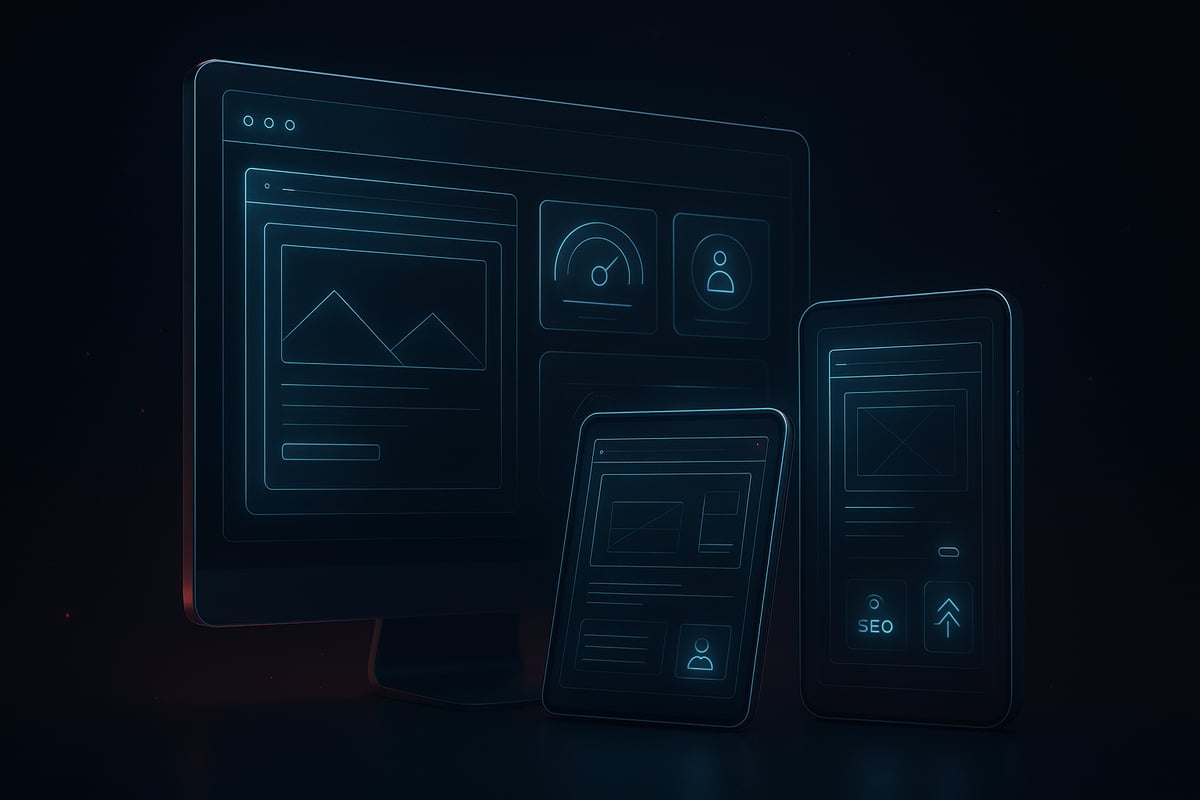
The framer website builder takes responsive design to a new level. Forget manual breakpoints and endless tweaking. Framer’s auto-layout system intelligently adapts your site to any screen size, ensuring every element remains pixel-perfect. You can preview your project live across desktop, tablet, and mobile, making on-the-fly adjustments a breeze.
Accessibility is built into the workflow, so you can confidently meet user needs from day one. For a deeper dive into how Framer’s system works, review Framer's Responsive Design Capabilities, which highlights features like device previews and seamless auto-layout.
With these tools, you can focus on creativity while Framer handles the technical heavy lifting, keeping your workflow fast and stress-free.
Site Speed and SEO Best Practices
Performance is at the heart of the framer website builder. Your site is automatically hosted on a global CDN, delivering lightning-fast load times everywhere. Images are optimized and lazy-loaded, further reducing wait times for visitors.
Framer’s built-in SEO tools—meta titles, descriptions, clean URLs, and sitemaps—help your site get discovered. Consider this: a recent case study showed a Framer-powered portfolio site ranked higher in search results after optimizing for speed and accessibility. Users saw bounce rates drop by 20% and engagement soar.
Performance Benefits Table:
Feature | Impact |
|---|---|
Global CDN | Faster worldwide load |
Image Optimization | Reduced page size |
SEO Metadata | Improved rankings |
Lazy Loading | Better UX |
With these optimizations, Framer ensures your site is both beautiful and discoverable.
Accessibility and Compliance in 2026
Today’s web must be inclusive. The framer website builder makes it simple to meet ADA and WCAG standards. You can add alt text to every image, ensuring screen readers interpret your content accurately. Keyboard navigation is smooth, allowing all users to explore your site with ease.
Built-in color contrast tools help you design with clarity, making your site readable for everyone. These features are not just nice-to-haves—they are essential for reaching the widest possible audience and staying compliant with global regulations.
Framer’s commitment to accessibility future-proofs your site, so you can build with confidence and integrity.
Customizing and Extending with Framer Templates
Unlocking the full creative potential of the framer website builder starts with its powerful template system. Whether you are launching a startup, scaling an agency, or building a personal portfolio, Framer’s templates give you a professional head start. Each template is designed with modern layouts and future-proof features, making it easy to achieve a polished website in just a few clicks.

Exploring the Framer Template Library
The framer website builder offers a diverse library of ready-made templates tailored for startups, agencies, portfolios, blogs, and e-commerce. Each template features sleek layouts, interactive elements, and built-in responsiveness. You can easily swap images, edit sections, and update branding to suit your unique vision.
Customizing templates is intuitive. Simply drag and drop new components, adjust colors, and refine typography. Framer’s latest updates have made this process even smoother, letting users personalize every detail without technical barriers. For instance, a fintech startup can take a SaaS landing page template and transform it with custom branding, animated charts, and industry-specific sections.
A standout feature is Framer's On-Page Editing Feature, which allows you to update live website content without accessing the design canvas or CMS. This makes real-time edits seamless for teams and clients.
Using CMS and Dynamic Content
Managing dynamic content is effortless with the framer website builder’s built-in CMS. You can set up blog posts, team pages, and product listings without touching code. The CMS provides an easy interface for adding, editing, or removing content while preserving your site’s design integrity.
Once your structure is in place, updating information is as simple as filling out a form. This means you can refresh your blog, add new products, or introduce team members without breaking layouts. The CMS also supports image galleries, testimonials, and more, keeping your website fresh and engaging.
Best of all, changes appear instantly, so your audience always sees the latest updates. This flexibility is a game-changer for growing businesses and content creators.
Integrating Third-Party Tools and Analytics
Framer website builder excels at extending functionality through integrations. Adding Google Analytics, cookie banners, and marketing tools is straightforward. You can embed forms for lead capture, integrate chat widgets for support, or display social media feeds to boost engagement.
The integration process is user-friendly. Paste your tracking code or widget embed, and Framer handles the rest. These capabilities help you gather insights, comply with privacy regulations, and connect with your audience across platforms.
By combining templates, dynamic content, and integrations, the framer website builder empowers you to build modern, high-performance websites that adapt as your needs grow.
Advanced Collaboration and Workflow Features
Collaboration in web design has evolved, and the framer website builder stands out by making teamwork seamless, intuitive, and future-ready. Whether you’re a freelancer or a large agency, Framer’s collaborative tools empower teams to deliver polished sites with speed and precision.
Real-Time Team Collaboration
The framer website builder introduces real-time editing, letting multiple users design, edit, and comment on projects simultaneously. Each team member’s cursor appears live, making coordination effortless. You can invite colleagues, assign roles, and control permissions for editors, designers, or clients.
Key collaboration features include:
Live comments and feedback directly on design elements
Version history to track changes and revert if needed
Role-based permissions for secure, streamlined teamwork
With these tools, teams move from concept to launch without bottlenecks. Recent updates, like improved co-editing and notification systems, keep everyone in sync. To explore the latest enhancements, visit Framer’s updates page.
Streamlined Async Feedback and Handoff
The framer website builder also excels in asynchronous workflows. Share preview links with stakeholders for instant review, even if they’re in different time zones. Feedback is collected directly on the design, reducing lengthy email chains.
Exporting assets and code snippets is straightforward, ensuring developers and content creators get what they need quickly. Agencies often use Framer to share branded previews with clients, speeding up approvals and iterations. This workflow helps teams deliver projects faster and with fewer errors.
By combining real-time collaboration with async handoff, the framer website builder empowers teams to work smarter and launch better sites together.
Framer Pricing Plans and Choosing the Right Option
Selecting the right framer website builder plan can make or break your web design journey. Framer delivers a range of pricing options tailored for everyone from solo creators to large agencies. Understanding these tiers ensures you get the best value for your goals.
Overview of Framer’s Pricing Tiers
The framer website builder offers seven main plans: Free, Mini, Basic, Pro, Launch, Scale, and Enterprise. Each tier is designed to fit different project scopes and team sizes.
Plan | CMS Items | Storage | Custom Domain | Analytics | Team Members |
|---|---|---|---|---|---|
Free | Limited | 1 GB | No | No | 1 |
Mini | More | 2 GB | Yes | Yes | 1 |
Basic | More | 5 GB | Yes | Yes | 1 |
Pro | Higher | 10 GB | Yes | Advanced | 3 |
Launch | Even more | 20 GB | Yes | Advanced | 5 |
Scale | High | 50 GB | Yes | Advanced | 10 |
Enterprise | Custom | Custom | Yes | Advanced | Unlimited |
For a personal portfolio, the Free or Mini plans are often enough. Agencies or businesses may benefit from Pro, Launch, or Scale due to advanced CMS, analytics, and larger team support. For the latest feature releases and plan updates, visit Framer’s Updates.
Cost-Effectiveness and ROI
The framer website builder stands out for its all-in-one approach, reducing the need for separate hosting, plugins, or third-party tools. This simplicity saves both time and money, especially for startups and fast-moving teams.
Competitor comparisons show that users appreciate Framer’s transparent pricing and the rapid ROI it delivers. With recent feature expansions, including advanced AI tools and improved CMS, the framer website builder continues to offer unmatched value for both individual creators and growing businesses.
Frequently Asked Questions About Framer Website Builder
Curious about the framer website builder before starting your project? Here are the most common questions, answered to help you decide if Framer is right for you.
Is Framer really no-code, and who should use it?
Yes, the framer website builder is fully no-code, making it ideal for designers, agencies, and marketers who want to build sites visually without programming skills.
Can you build scalable, professional websites?
Absolutely. Framer supports dynamic content, CMS, and responsive layouts, so you can create everything from portfolios to business websites.
How does Framer ensure great SEO and performance?
It includes built-in SEO tools, a global CDN, and image optimization. Many users see faster load times and improved search rankings.
Are there limitations for blogging, e-commerce, or large sites?
Blogging and portfolios are seamless, while e-commerce is best for simple shops. For large-scale needs, review Framer’s latest updates for feature expansions.
How does Framer compare to Webflow, Wix, or WordPress?
Framer stands out for rapid design, AI features, and real-time collaboration, with user ratings trending upwards each year.
What support and resources are available?
Access tutorials, a supportive community, and regular updates to stay ahead in web design.
Ready to put what you’ve learned into action and see how Framer can transform your web design workflow for 2026? With its intuitive visual editor, AI-powered features, and seamless team collaboration, Framer truly empowers you to create stunning, high-performing websites—no code required. If you’re eager to experience how fast and easy building a standout site can be, I recommend giving Framer a hands-on try. Dive in and see how it feels to bring your ideas to life right away—you might be surprised by what you can accomplish.

Blog / Newsletter